Get VIP
Regram for Instagram

Regram for Instagram

By Fouad Raheb

Install with VIP

Description

This is an original version, it has original Instagram bundle ID. You need to delete original Instagram before installing.

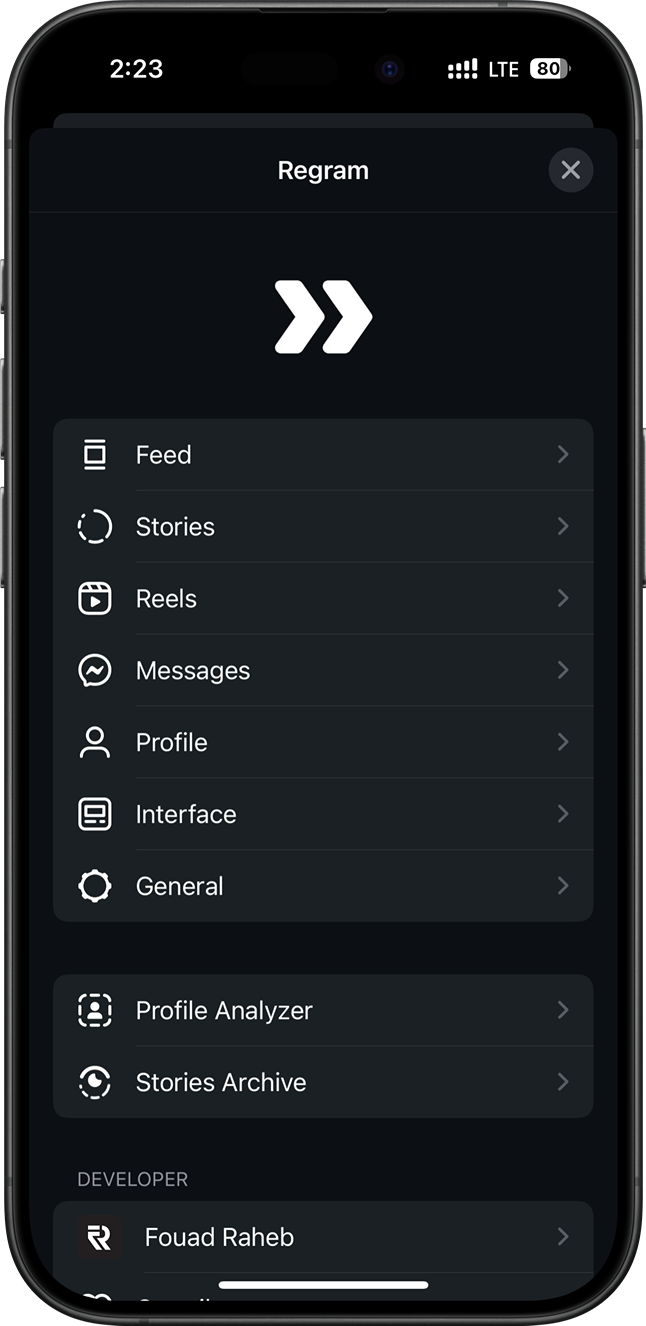
Regram is your all-in-one tweak for Instagram. Currently in beta and available only to Patreon subscribers.
Activate license by connecting your Patren account from inside Regram Settings.

Access Regram settings by long-pressing on Home tab bar button or from Instagram settings.

Change Log

This update contains the following changes:

• Bug fixes and compatibility updates for IG 434.
• Added Liquid Glass support across the tweak on iOS 26 — Regram's buttons (Direct Messages mark-seen, feed header, and more) now get a Liquid Glass background to match Instagram's glass nav-bar buttons.
• Added Settings Profiles — create multiple settings profiles and link each one to one or more Instagram in-app accounts; the active profile auto-switches when you change Instagram accounts. Manage from the new profile cell at the top of Settings.
• Added Grid Feed — open the feed menu at the top (the For You / Following selector) and choose Switch to Grid to display the main feed as a thumbnail grid backed by the same posts (and your existing feed filters). Choose 2–6 columns or pinch to change the count live, with a video/carousel badge and an info bar on each post, plus an optional stories bar pinned above the grid. The grid pulls to refresh and loads more in sync with the feed. Configure everything under Feed > Grid Feed.
• Added Profile Grid Info — overlays the post date, view count (videos and reels), like count, and comment count on each thumbnail across profile grids (posts, tagged, reels and reposts). Reposts can show both the repost date and the original post date. Configure under Profile > Grid Info.
• Added Chat Themes — create custom Direct Message themes (wallpaper plus bubble, text, composer and nav-bar colors) and apply them per-chat or globally, on-device only. Manage under Messages > Chat Themes.
• Added Story Buttons layout editor — open a story's action button and choose Move Buttons to enter an edit mode where you can drag the action, mark-seen, and mentions buttons anywhere on screen; tap Use Default Position to reset, or Done to finish.
• Added three new Story Buttons designs (Stories > Buttons Design) — Blurred (rounded blurred background), Solid (high-contrast dark circle), and Glass (Liquid Glass on iOS 26, with a frosted fallback on earlier versions), alongside the original Default look.
• Improved the default Story Buttons positioning — now accounts for Instagram's music button position and only avoids it when it shares the buttons' row, and no longer double-offsets when the comment row and music button appear together.
• Redesigned the full-screen media player toolbars — actions moved to the top right, bottom bar now shows username and date with a source badge.
• Added a new Auto-Save section with a master killswitch and all auto-save settings in one place.
• Added Auto-Save for Stories and View-Once Messages.
• Added a View Saved Media action to view-once messages — long-press a view-once photo or video and, when it's saved in your Media Vault, open it full screen straight from the chat even after it's marked as seen (Messages > View Once).
• Added Auto-Save quick actions for Stories, View-Once Messages, and Instants to include or exclude users/chats directly from the viewer.
• Added per-source save destinations (Media Vault or Photos) with duplicate prevention for Photos saves.
• Auto-save notifications are now tappable to open saved media.
• Added an Auto-Saved Only filter in the Media Vault filter sheet, so you can isolate everything that was saved automatically.
• Fixed Custom Audio Upload in DMs not working on recent IG versions — the voice-clip delivery selector gained a new parameter; Regram now calls the updated signature and falls back to the legacy one for older builds.
• Added Media Vault as a source for Custom Audio Upload in DMs with a new built-in audio trimmer to edit before sending.
• Added Download Manager settings section — new top-level entry that groups downloader and encoding settings into one place along with new indicator and auto-retry settings.
• Added Auto-Retry for failed downloads — automatically retries transient download failures (network errors, 5xx) with exponential backoff. Configurable max attempts (1/3/5); URL-expired and user-cancelled downloads are never retried.
• Added Retry on Relaunch — optionally re-enqueues failed or interrupted downloads from the previous session when the app launches.
• Fixed High quality video download falling back to the lower ready-to-play version when the dash manifest has no audio representation; now downloads the highest dash video as-is.
• Added Floating Download Button — alternative to the banner; a draggable, corner-snapping pill that shows overall progress, active count, and failed-download badge. Long-press opens the list; tap shows quick actions (pause/resume/cancel all, switch to banner). Pick the style under Download Manager > Download Indicator.
• Added Status filter to the downloads list (All / Active / Completed / Failed / Cancelled) and made Clear All respect the active filter with confirmation showing exactly how many rows will be deleted.
• Added an Open Post action to the downloads list context menu — long-press any download (active or finished) to jump to its original Instagram post, same as in the Media Vault.
• Added a short relative timestamp to each row in the downloads list (e.g. 5m, 3h, 2d) so you can see at a glance when each download was started.
• Added Keep My Own Unsent Messages toggle (Messages > Keep Unsent Messages) — when off, unsending your own message removes it from the chat as usual instead of keeping it; others' unsent messages are still kept. On by default.
• Added DM Activity Notifications — get notified (even in the background) when someone comes online, goes offline, starts typing, sees your message, or opens your view-once media. For each event choose None, Tracking List, or All Chats; build your Tracking List from a chat's + button menu. A master toggle at the top turns the whole feature on or off and hides every related setting when off.
• Added Activity History — every tracked event is logged with the person's name and the exact time, so you can browse a per-person history of who saw your messages and when, who opened your view-once media, and online/offline sessions. Includes search, date/event filters, per-person analytics (last seen, sessions today, busiest hour), CSV/JSON export, and a configurable retention window. Manage it under the Activity Notifications settings.
• Added a What's New screen that highlights the major features of each update on first launch after updating; reopen it any time from Settings > Support > What's New.
• Fixed Follow Requests Tracker sending wrong accepted/rejected notifications after switching accounts — requests are now checked only while their own account is active.
• Fixed saving GIFs to Photos from feed comments and DM GIF messages.
• Added a floating Profile Analyzer scan indicator — leave the analyzer screen while a scan runs and a slim bottom capsule shows live progress; tap it when the scan finishes to jump back to the results.
• Added sort and filter to the Profile Analyzer lists — sort by username (or date on the changes lists) and filter to verified-only or private-only accounts.
• Added multi-select to the Profile Analyzer lists — tap Select to follow or unfollow many users at once, with a confirmation and a per-action rate limit to stay safe from Instagram limits.
• Added a long-press menu on Profile Updates rows to view all of that user’s updates in one filtered list — the same per-user view available from the profile action button.
• Attempted a fix for DM lag caused by the manual mark-as-seen feature.

Version

434.0.0

Last Updated

June 18, 2026

Regram for Instagram